
Finding a Teacher and Booking a Lesson is Easy at LiTeach
Getting started is quick and easy. Visit the “Find a Teacher” page, and simply browse the list of teachers, use the filters to find the subject, price range, or availability that suits you, and open a tutor’s profile to learn more about their experience and teaching style. Once you find a teacher you like, choose a time slot and book a lesson in just a few clicks. The entire process takes only a minute, and you can start learning right away.
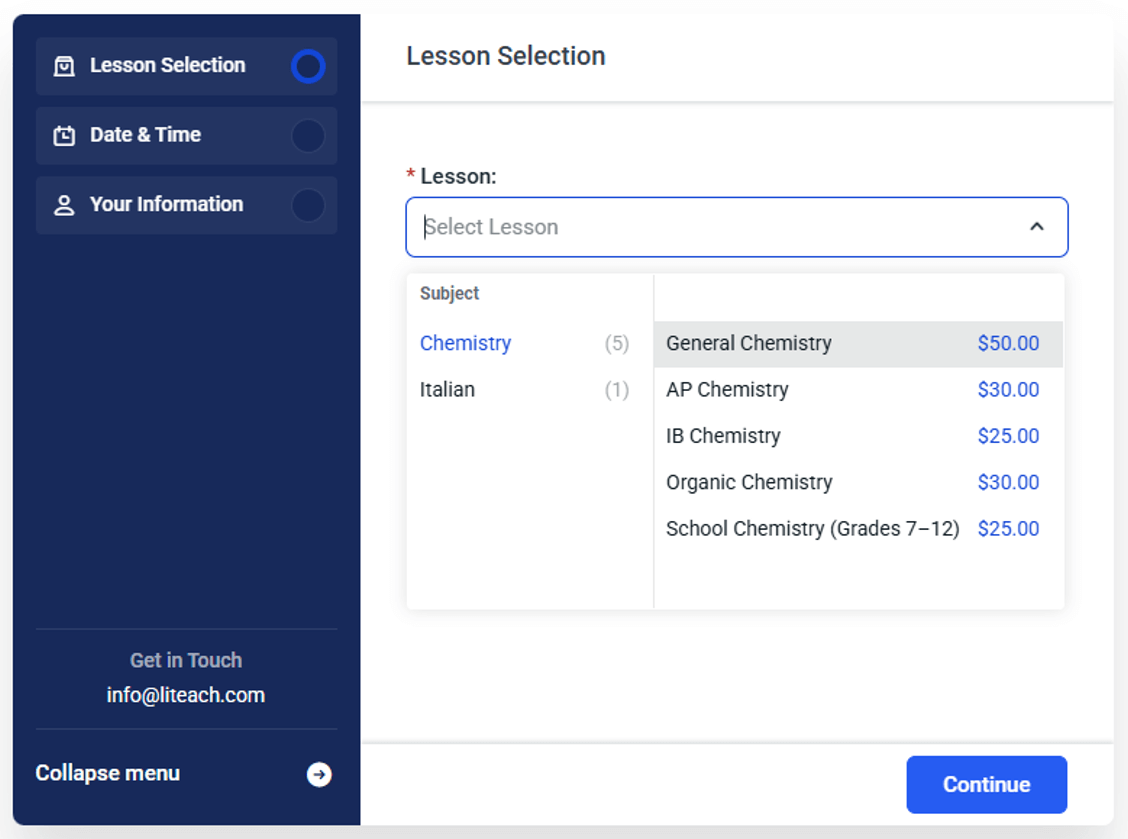
- On the booking form of the teacher, select the lesson (e.g., “General Chemistry”) and click Continue.
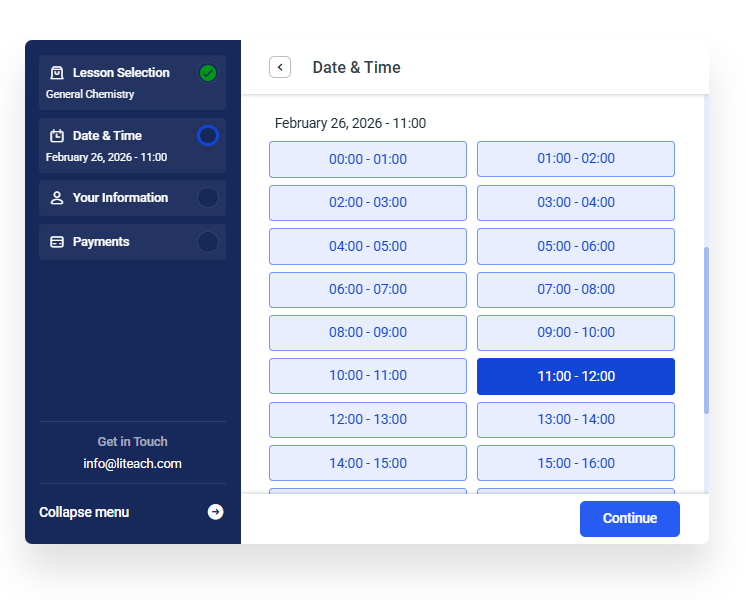
- Choose the Date and Time for your very first lesson.
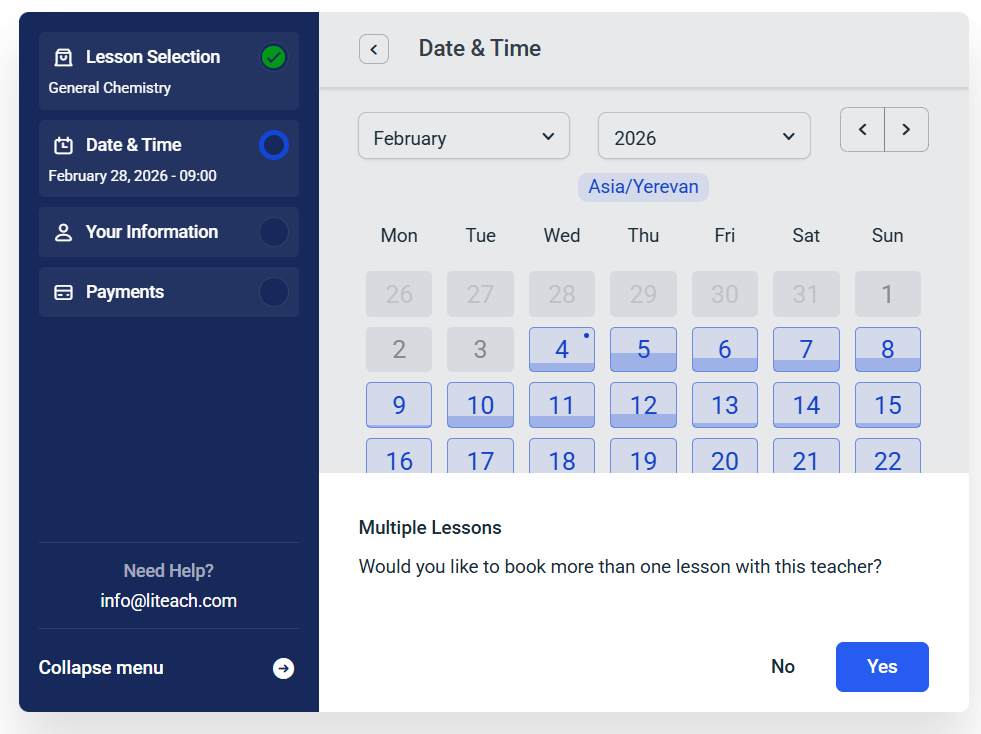
- Once you select a time slot, a prompt will appear asking if you’d like to book more than one lesson with that teacher.
- Select Yes to open the recurrence settings.
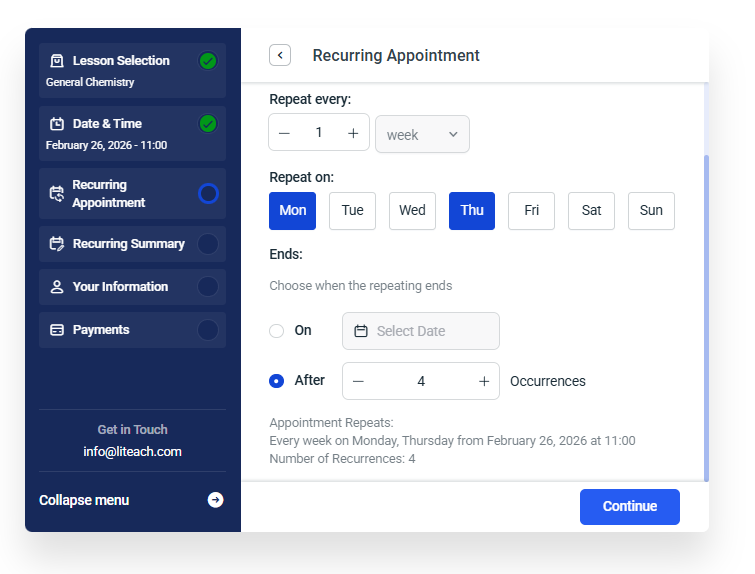
- Repeat Every: This is how set the lesson to repeat every week or every other week, or once in three weeks, etc.
- Repeat On: Select the days you want to have the lessons
- Choose when repeating ends: Decide when the series ends by choosing a specific date or a total number of repeating lessons (e.g., “6 occurrences”). You will see the summary of all your lessons on the next screen, and can make any changes if needed.
- Check for Conflicts: If a specific date is unavailable (e.g., a holiday), the system will suggest the closest available time.
- You can delete or edit individual dates in the list if you know you’ll be busy on a particular day before you finalize the booking.
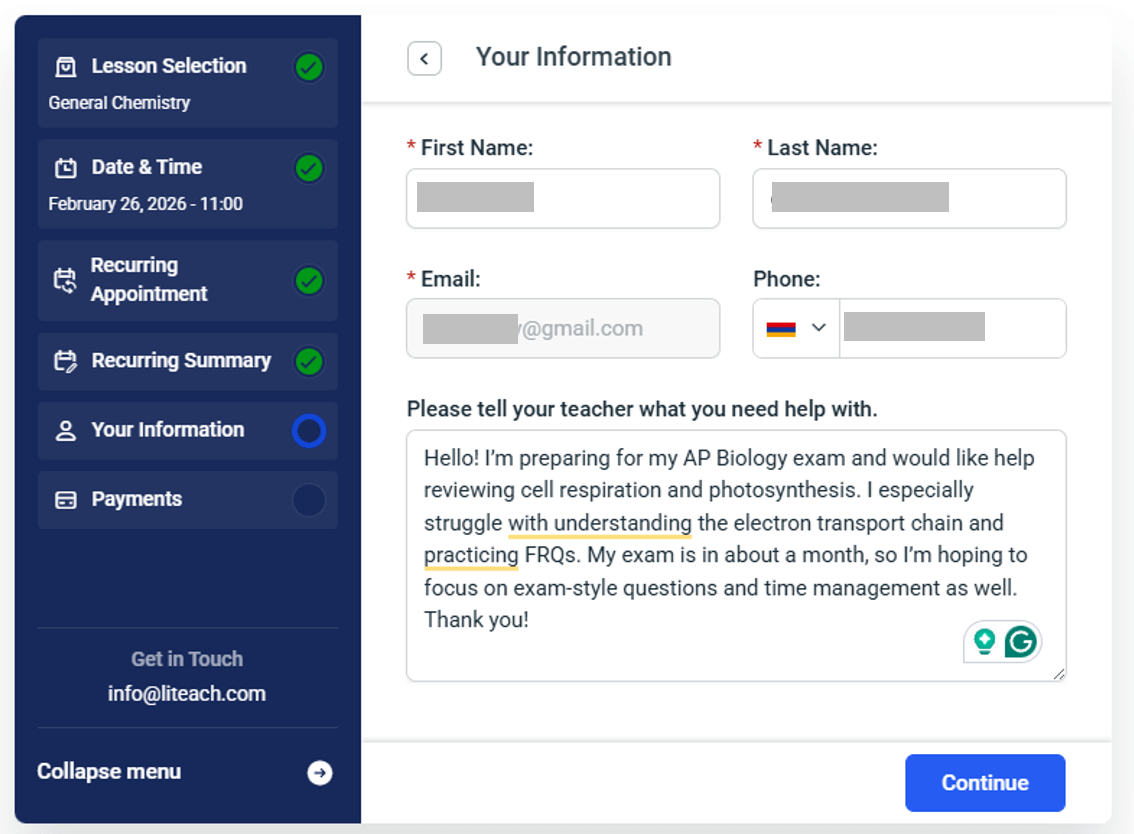
- Make sure to correctly add your name and email address. You can also add your phone number. Also, add a note for your teacher so they know in more detail what you need help with. As an example, here is what a student has added for the AP Biology lesson:
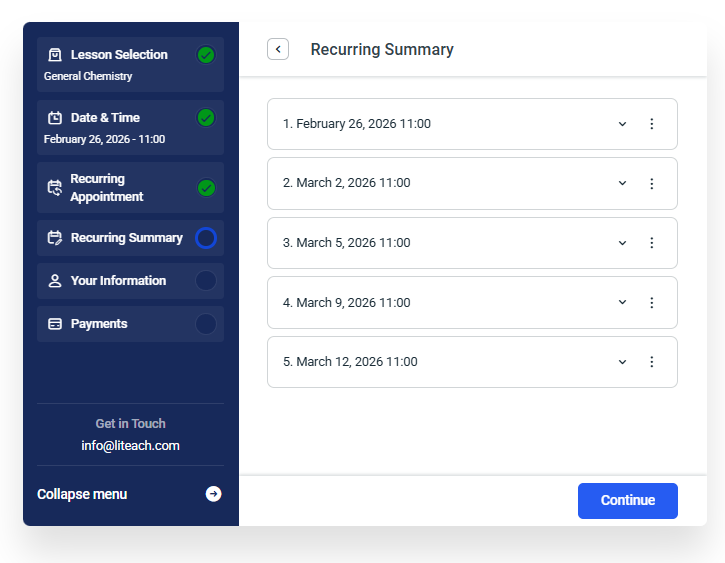
- Review the final list of lessons.
- Check Your Email: You will receive a confirmation email. Ensure it includes the full list of your recurring dates so you can add them to your personal calendar.
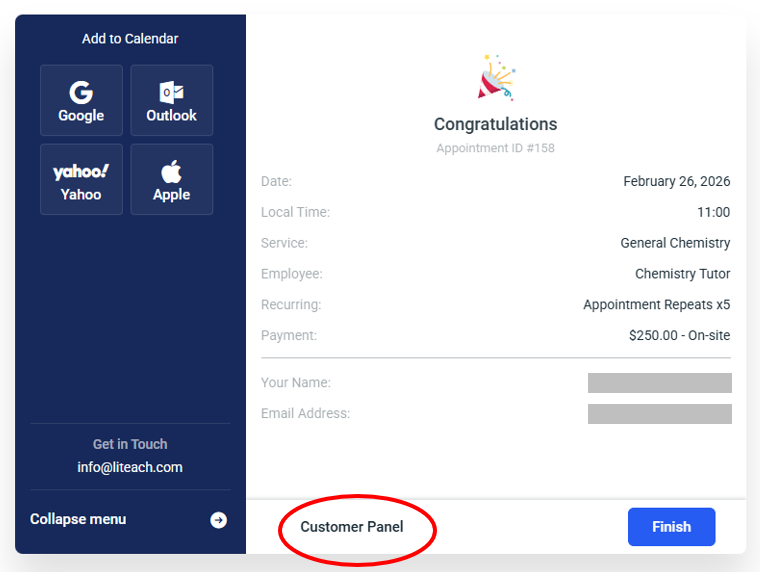
- You can also click on the “Customer Panel” link, and it will direct you to how to log in to your dashbaord where you can see the details of all your upcoming lessons.
Click on the Zoom or Google Meet link your teacher had shared with you.
Hover over to the “Account” tabon the top-right corner, and select “Students” from the drop-down menu. Use your email address to log in to your student dashboard. Click “Reset Password” if you have forgotten your password. Check the Spam folder if you do not receive the email, and make sure to mark info@liteach.com and noreply@liteach.com as “Not Spam”.
- Check your email: Look for a confirmation message containing your login details or a link to set your password.
- Visit your student dashboard from the top right corner.
- Enter credentials: Use your email address and the password you created.
Yes, in addition to the booking confirmation, both the tutor and student will receive a reminder email one day before the start time of each lesson. Reminder emails will show a button linked to the correct lesson room. Please include noreply@liteach.com in your email safelist to ensure you receive the emails in your inbox. Mark it as “Safe”, or “Not Spam” if the emails appear in your spam folder.
If you do not see an email from LiTeach, look it up in your Spam or Promotions folder. Make sure to label the email as safe (not spam) and add noreply@liteach.com and info@liteach.com to your safe email list.
You will receive the complete details of your teacher in the confirmation email for your lesson
Leaving a review is a great way of giving your teacher feedback, encouraging their work, and letting other students know more about the teacher. Visit the teacher’s page and add your review at the bottom of the page.
Knowing English is not a requirement to become a student on LiTeach and use the services on the website. The most important pages and phrases are translated into Armenian. Please note, however, that English is the official and original language of the site as it is registered in the US, and operated under the corresponding laws. The legal agreements (Terms and Conditions and Privacy Policy pages) are written in English, and not understanding them does not waive your responsibility to accept them if you decide to register on the site. If you register on the site, it is your responsibility to understand the legal agreements mentioned above, for which you may use the help of a professional translator.
Knowing English will make using the site easier and will help you hire teachers from different countries.
Yes, you can use a card linked to an account with a currency other than USD. Keep in mind that the exchange rates are set by the banks and we do not have control over how much in your currency you will be charged.
We give the freedom of booking one or more lessons, so you can find the best teacher for you. There is no free trial lesson – please book one lesson if youare not sure.
If your teacher does not attend a class without prior notice, it is most likely due to a power or network outage, or some other unforeseen circumstance. Please contact your teacher directly to reschedule the lesson.
If your teacher does not respond, let us know by sending an email with the lesson and teacher details to info@liteach.com
Remember, it is always better to communicate and resolve any issues between the teacher and the student. If your teacher did not attend the class without prior communication and rescheduling, it is most likely due to a power or network outage or some other unforeseen circumstances. Nonetheless, if you are not happy with the teacher, please let us know by sending an email to info@liteach.com